
This inZOI Mod Gives the Game a The Sims-Style Makeover
A short inZOI showcase presents a Sims-inspired interface makeover, including a green diamond marker, redesigned needs panels, mood labels, and social gameplay.
Quick Answer
Needs verificationThe video showcases an inZOI mod setup with a deliberately Sims-inspired presentation: a green diamond marker, redesigned character panels, visible needs and moods, and familiar-looking social and household gameplay. It is a creator-made modification, not an official inZOI redesign.
- Applies to
- Not recorded
- Last verified
- Pending
- Source
- Not recorded
On this page
Quick answer: The video showcases an inZOI mod setup with a deliberately Sims-inspired presentation: a green diamond marker, redesigned character panels, visible needs and moods, and familiar-looking social and household gameplay. It is a creator-made modification, not an official inZOI redesign.
This short showcase from Quinn | Inzoi Age of Magic is driven mostly by music and gameplay footage rather than narration. The title makes a playful comparison with The Sims, while the footage demonstrates a creator-made inZOI interface makeover during everyday household and social scenes. Because the spoken transcript is minimal, the observations below are limited to elements clearly visible on screen; the video does not provide installation steps or a full feature explanation.
The Makeover Starts with a Familiar Green Diamond
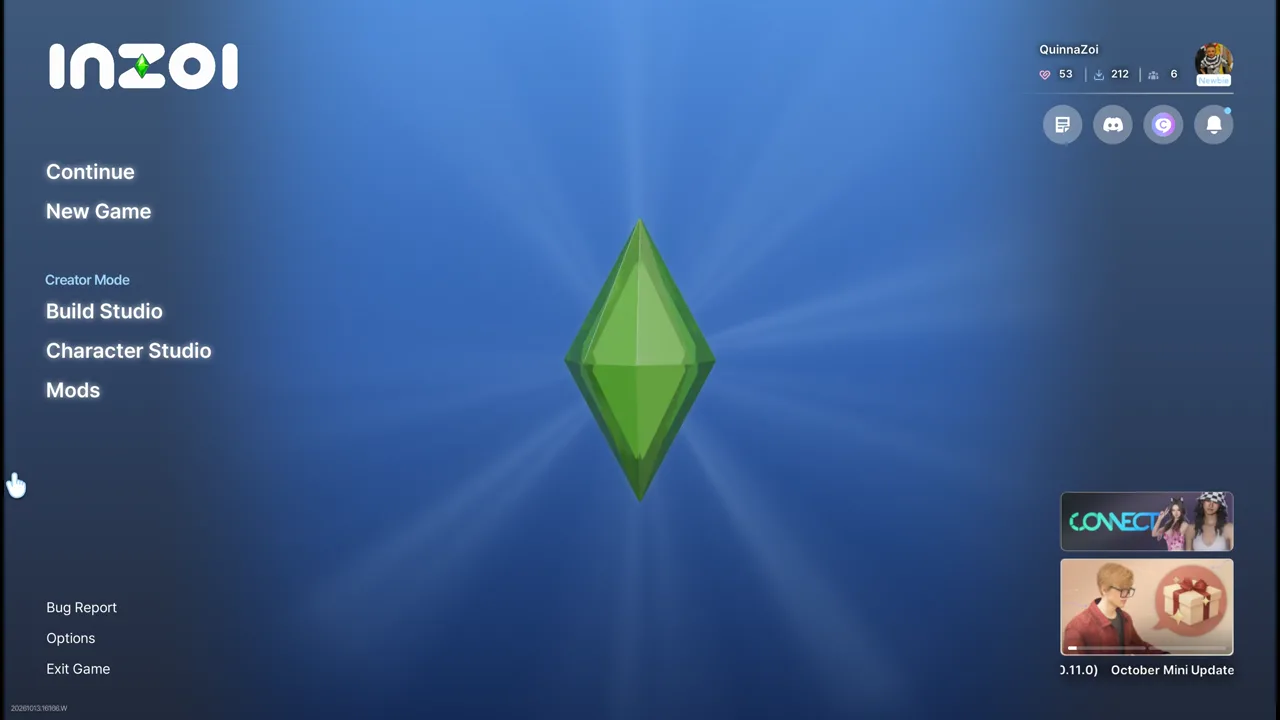
The showcase opens by presenting inZOI with a strongly Sims-inspired visual identity. The main menu places a large green diamond at its center while retaining recognizable inZOI options such as Continue, New Game, Build Studio, Character Studio, and Mods. The visual joke behind the video title is immediate: this is still inZOI underneath, but the creator has deliberately styled key interface elements to evoke another life-simulation series.
Source footage at approximately 9 seconds.
Character Panels Put Moods and Needs Front and Center
During gameplay, each selected Zoi has a large portrait panel with a written emotional state such as Content, Fine, Uncomfortable, Curious, Elated, or Ecstatic. Rows of icons expose needs and status information across the bottom of the screen. A bright green diamond also hovers over the active character. Together, these changes make the moment-to-moment interface look much closer to the visual language suggested by the video title without changing the underlying inZOI world shown in the footage.
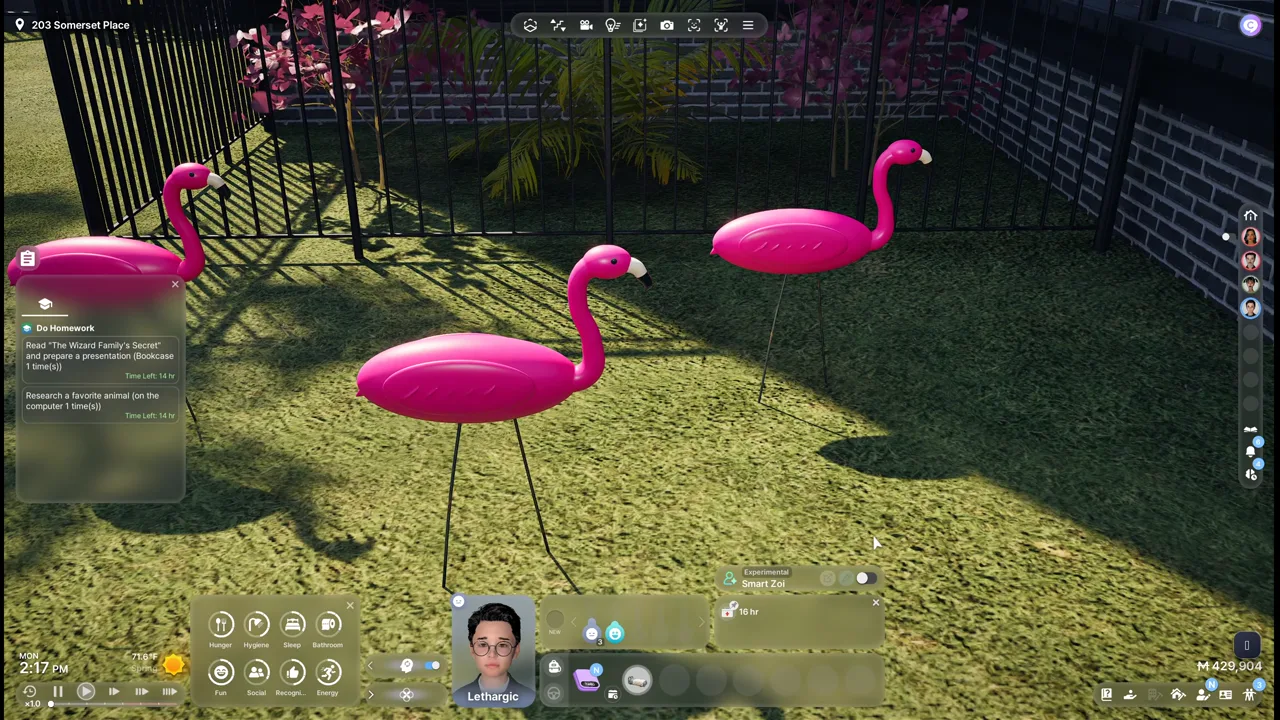
Source footage at approximately 81 seconds.
The Footage Focuses on Family and Social Life
The creator demonstrates the interface across ordinary life-simulation scenes: Zois hug outside the home, play chess, gather in a living room, care for a baby, and move through household routines. Conversation labels and relationship-style icons appear during interactions, while the household portrait list remains visible at the side. The scenes are presented as a visual showcase rather than a tutorial, so the video demonstrates how the makeover feels in play but does not explain every icon or mechanic.
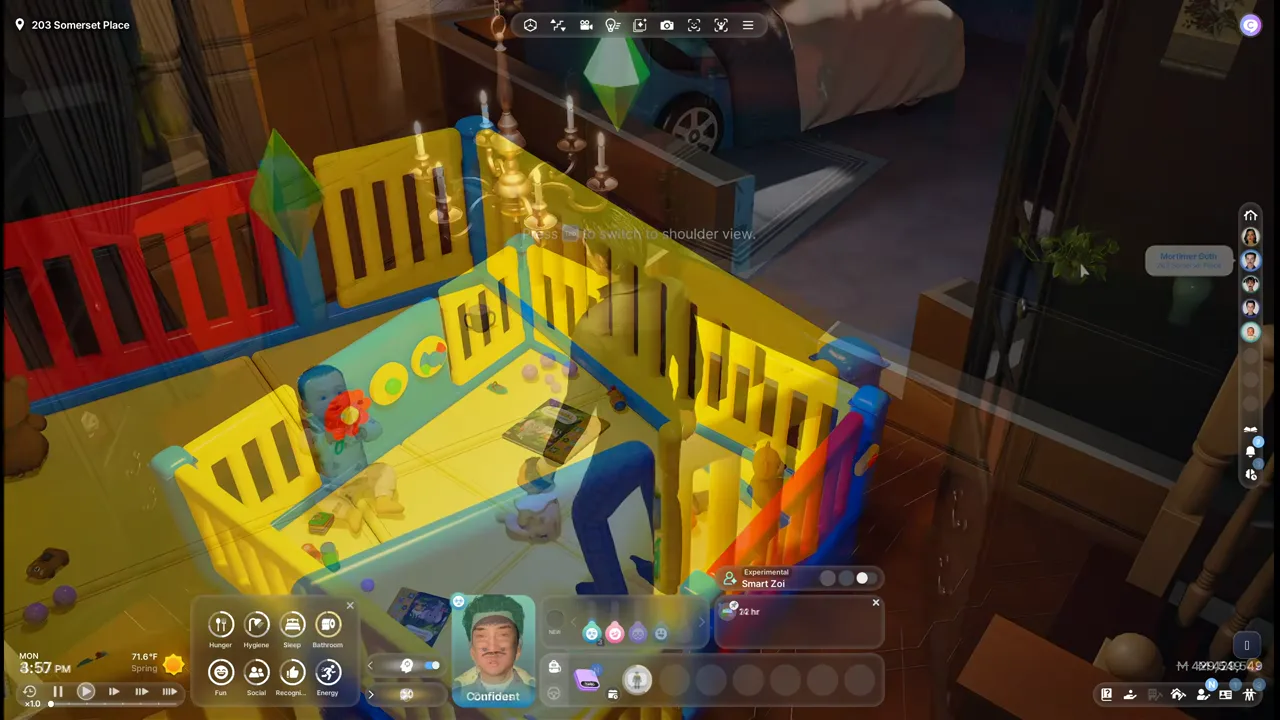
Source footage at approximately 134 seconds.
This Is a Creator-Made Mod Showcase, Not an Official Redesign
The channel description links to the creator’s own mod pages, CurseForge profile, and Patreon, and asks players to share screenshots, stories, feedback, and bug reports. That context matters: the Sims-style presentation shown here is a community modification associated with Quinn | Inzoi Age of Magic, not evidence that KRAFTON has officially replaced inZOI’s interface. The source video itself contains no installation walkthrough, compatibility notes, or detailed version requirements, so those details should be checked on the creator’s current download pages before installing.
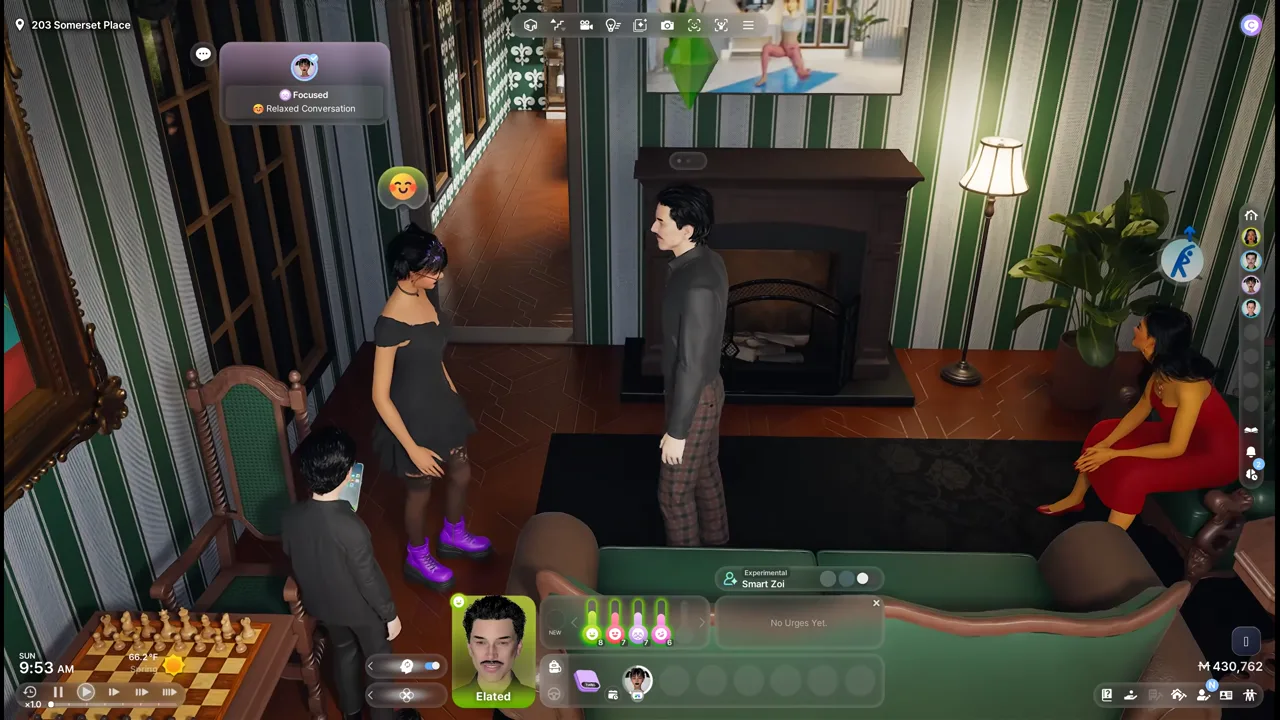
Source footage at approximately 160 seconds.
Source Video
Watch the original inZOI video. This draft uses the video transcript as its factual boundary.
<details>
<summary>Source frame review notes</summary>
- 9s — gameplay: sparse gameplay sample
- 45s — gameplay: sparse gameplay sample
- 81s — gameplay: sparse gameplay sample
- 110s — gameplay: sparse gameplay sample
- 134s — gameplay: sparse gameplay sample
- 160s — gameplay: sparse gameplay sample
</details>